Office Access Control System Installation in Singapore for a More Secure Workplace
access control system
An office is more than a place where employees sit at their desks and attend meetings. It may contain confidential client information, financial records, company devices, business contracts and valuable equipment that should only be accessible to authorised personnel. When employees, visitors, suppliers and contractors move through the workplace every day, controlling entry becomes an important part of protecting business operations. A reliable access control system helps organisations establish clearer access rules while making routine entry more convenient for authorised users.
For Singapore businesses, workplace security should be designed around how the office actually functions. A professional services firm may need tighter restrictions around confidential files, while a technology company may prioritise server rooms and equipment storage. Rather than applying one rule to every door, an office access control solution can help management define permissions according to job responsibilities, working arrangements and operational requirements.
What Makes an Office Access Control System Valuable?
Traditional keys can work for small teams, but managing them becomes more complicated when employees join, resign, change departments or work outside normal office hours. Physical keys may be misplaced or copied, and it can be difficult to maintain a clear record of who has been given access to a particular area. These issues can create administrative work and make security policies harder to enforce consistently.
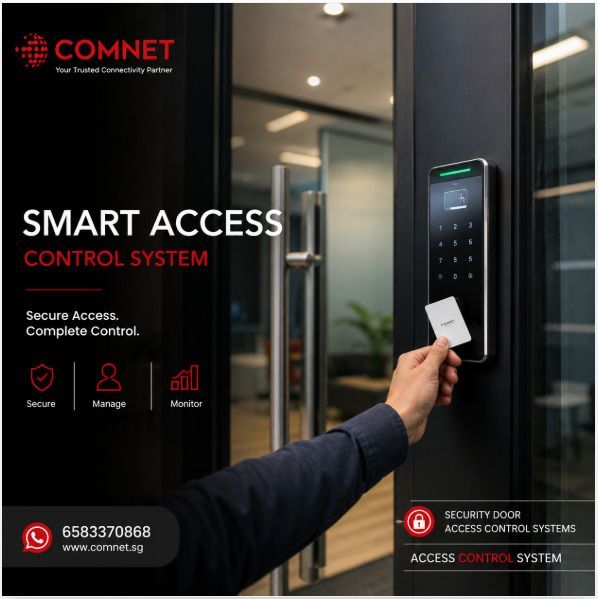
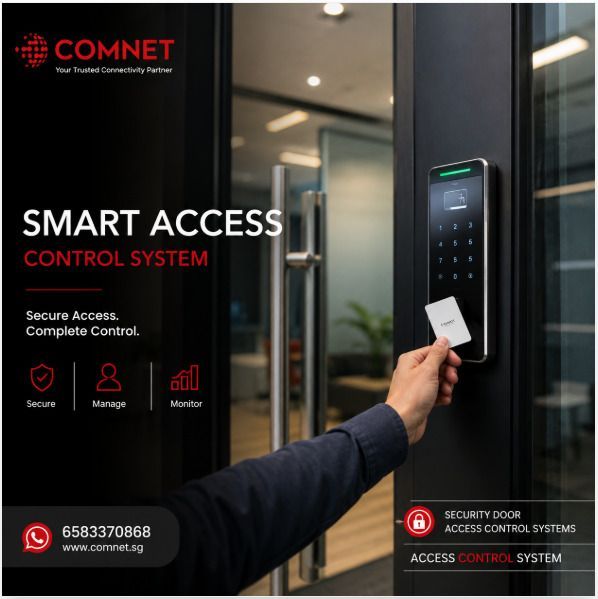
An electronic access control system replaces or supplements conventional key-based arrangements with controlled credentials and configurable permissions. Depending on the selected equipment, users may gain entry through access cards, PIN codes, biometric authentication or compatible mobile credentials. Administrators can then manage access according to the system's capabilities, reducing the need for repeated physical key exchanges whenever an employee's access requirements change.
Protect Confidential Information and Business Assets
Many office security risks begin with unnecessary access rather than a lack of security equipment. A visitor who can enter an unattended office area, or a staff member who has unrestricted access to a sensitive room, may create avoidable exposure. Establishing clear access boundaries helps businesses apply security measures where they are most relevant.
Suitable security door access control systems can be used to protect meeting rooms, management offices, IT rooms, finance departments and storage areas. Access permissions should be assigned according to legitimate business requirements and reviewed whenever responsibilities change. This approach supports the principle of granting users only the access they need to perform their work.
Simplify Employee Onboarding and Offboarding
Employee movement is a normal part of running a business, but outdated access permissions can become a security weakness if they are not reviewed promptly. When a staff member leaves or moves to another department, the organisation should have a clear process for updating or removing access rights across the relevant doors and systems.
An electronic solution can make this process more manageable by allowing authorised administrators to update user credentials centrally, where supported. The business should still maintain a documented offboarding checklist and verify that permissions have been changed correctly. Technology supports the process, but clear ownership and timely administration remain essential.
Choosing the Right Access Control Technology for Your Office
There is no single access method that suits every workplace. The most appropriate option depends on the sensitivity of the areas being protected, employee numbers, visitor arrangements, convenience requirements and available infrastructure. Businesses should compare the practical benefits and limitations of each option before selecting equipment.
Card-Based Office Access
Access cards are a common option for workplaces because they are familiar and relatively straightforward to administer. Employees present their authorised credentials to a compatible reader, and the system checks whether the credential has permission to enter the relevant area. Lost or unreturned cards can be deactivated when the installed system supports that function.
For offices with regular staff movement, card-based access can provide a balance between convenience and administrative control. Management should nevertheless establish procedures for reporting lost cards, returning credentials during offboarding and preventing staff from lending cards to other people. These measures help the organisation get more value from its investment.
PIN, Biometric and Mobile Credentials
PIN-based access may suit selected doors or locations where a code is practical, although shared codes can reduce accountability if they are not managed properly. Biometric authentication may provide another option for selected restricted areas, while compatible mobile credentials can reduce the need to carry a separate access card. Each method has different security, privacy, cost and usability considerations.
Businesses should not select technology simply because it appears more advanced. For example, biometric solutions require careful consideration of personal data handling, alternative entry arrangements and applicable legal obligations. The final decision should reflect the risk level of the protected area and the organisation's ability to administer the system responsibly.
What Happens During Access Control System Installation?
Professional access control system installation involves more than attaching a reader beside an office door. The installer must consider the door's construction, locking mechanism, available power, cable routing, network connectivity and the behaviour required during normal operation and emergencies. Proper assessment helps ensure that the proposed equipment is suitable for the workplace rather than creating problems after the office returns to full operation.
Review Office Layout and Access Requirements
The installation process should begin by mapping the doors that need controlled access and identifying who requires permission for each area. This includes considering reception access, staff entrances, meeting rooms, IT facilities, storage areas and any spaces shared with other businesses. The organisation should also determine how visitors and temporary workers will be handled.
A clear access matrix can help define which user groups may enter each area and during what periods. This document provides a practical reference for configuring the system and reviewing permissions later. It also helps management identify areas where additional security measures may be appropriate.
Check Door Hardware, Cabling and Compatibility
Office buildings can contain a mixture of glass doors, timber doors, metal doors and existing automatic entrances. These doors may require different locking hardware, mounting arrangements and installation techniques, so compatibility must be established before equipment is purchased. The assessment should also identify whether existing cabling and network infrastructure can support the planned system.
Where the office is located in a managed commercial building, installation work may require approval from the landlord or building management. Work affecting fire-rated doors or emergency exits must preserve the required safety functions and comply with applicable requirements. These details should be addressed during planning rather than after the installation has started.
Configure Permissions and Test Every Controlled Door
Once the hardware is installed, the system must be configured with the agreed user permissions, schedules and administrative settings. Each controlled door should be tested to confirm that authorised credentials allow entry and unauthorised credentials are rejected. Where supported, administrators should also verify the operation of access logs, alarms and integrations included in the approved scope.
The handover should explain how to add new employees, deactivate credentials, change permissions and respond to common faults. This is particularly important for offices without dedicated security personnel, where routine administration may be handled by an office manager or IT administrator. Clear documentation reduces confusion and supports more consistent day-to-day management.
Improve Office Security Without Making Work Difficult
Security measures should support productivity rather than introduce unnecessary obstacles for employees and visitors. If credentials are difficult to use, permissions are frequently incorrect or entry procedures are unclear, staff may develop workarounds that weaken the intended controls. A good system balances appropriate restrictions with a practical user experience.
Create Clear Procedures for Visitors and Contractors
Visitors should have a defined entry process that matches the office's security requirements. Depending on the workplace, this may involve reception approval, temporary credentials, an escort or access limited to designated areas. Contractors carrying out maintenance may need time-restricted permissions rather than the same access granted to permanent employees.
Clear procedures reduce uncertainty for reception staff and make expectations easier to communicate. They also help ensure that temporary access is reviewed or removed when the visit or project ends. Visitor management should complement, rather than replace, the organisation's wider access control policy.
Plan for Maintenance and Future Growth
An office may expand into additional rooms, add new departments or move to a different floor as the business develops. A scalable access control solution can make these changes easier to manage if the system architecture, hardware capacity and software licensing support future expansion. Businesses should discuss expected growth with the installer before committing to a configuration.
Routine maintenance should cover relevant readers, locking hardware, power arrangements, software updates and access permissions. Periodic reviews can also identify former employees, unused credentials or permissions that are no longer necessary. This helps maintain the effectiveness of the system after the initial installation is complete.
Why Consider COMNET for Your Office Access Control Project?
Choosing an installer is an important decision because the result must work reliably with the office's physical doors and technology infrastructure. COMNET provides ICT infrastructure and electronic low-voltage integration services, including physical access control solutions. Businesses can discuss their office layout, security priorities and installation requirements to determine a suitable approach for their premises.
A practical solution should account for the number of doors, employee access needs, visitor procedures, existing infrastructure and ongoing administration. It should also include appropriate testing and a clear handover so the people responsible for the system understand how to manage routine changes. These considerations help turn a security installation into a workable part of the organisation's daily operations.
Frequently Asked Questions
Can an access control system be installed in a small office?
Yes. A small office may only require controlled entry at its main entrance and selected restricted rooms. The appropriate configuration depends on the security requirements, door hardware and expected number of users.
Can office access permissions be changed when employees leave?
Many electronic systems allow authorised administrators to deactivate credentials or modify permissions without replacing every physical lock. The exact functionality depends on the selected solution, and the organisation should maintain a reliable offboarding process.
Is mobile access better than access cards?
Not necessarily. Mobile credentials may offer convenience, while cards can be simple to issue and manage. The best choice depends on compatibility, employee preferences, security requirements, administration and total cost.
Upgrade Your Workplace Security With COMNET
Your office holds valuable information, equipment and business resources that deserve a more structured approach to physical security. A properly planned access control system can help your organisation manage employee permissions, control restricted areas and reduce the administrative burden associated with traditional keys. With the right installation plan, security can become part of the workplace infrastructure without unnecessarily complicating everyday operations.
If your company is setting up a new office, renovating an existing workspace or reviewing its current
security door access control systems, COMNET can help you explore a solution suited to your requirements. Visit COMNET Physical Access Control Systems to learn more and enquire about
access control system installation in Singapore. Speak with COMNET about your office security needs and take a practical step towards better-controlled access for your team, visitors and business assets.